Albania
 Argentina
 Australia
 Austria
 Belgium
 Bosnia and Herzegovina
 Brazil
 Bulgaria
 Canada
 Chile
Chile
 Colombia
 Croatia
 Czech Republic
 Denmark
 Estonia
 Finland
 France
 Germany
 Greece
 Hungary
 Ireland
 Italy
Italy
 Latvia
 Lithuania
 Luxembourg
 Mexico
 Moldova
 Montenegro
 Netherlands
 New Zealand
 North Macedonia
 Norway
 Philippines
 Poland
 Portugal
 Romania
 Serbia
 Slovakia
 Slovenia
 South Africa
 Spain
Spain
 Sweden
 Switzerland
 Turkey
 Ukraine
 United Kingdom
 United States of America



Digital Mixing Desks
A digital mixing console combines multiple audio signals with internal processing, scene storage and often remote control. It can serve concerts, rehearsal rooms, theatres, conference rooms and recording sessions, but each setting has different input and operating requirements. Before choosing, draw the complete signal flow, including monitors, effects, recording and backup paths. Then compare physical controls, expansion, networking and connection formats.
Channel count is not just connector count
Distinguish between physical microphone inputs, line inputs, processing channels and buses. A console may process more channels than it has onboard connectors when paired with a digital stagebox or expansion card. Conversely, numerous sockets are no help if there are too few independent monitor buses. List your current setup and add sensible capacity for a guest, player or another monitor mix.
Drums, a band and several wireless microphones quickly fill the inputs. Outputs include the main mix, stage monitors, recording, a feed to another room or a subwoofer path. Check how buses can be routed and whether the required output is available on the console or stagebox. The model-size designation may not describe all these options accurately.
| Concept | Advantage | What to consider |
|---|---|---|
| Console with motorised faders | Fast tactile operation and layer indication | Size, weight and number of channels visible at once |
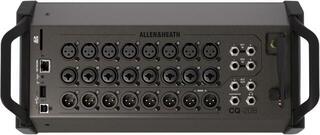
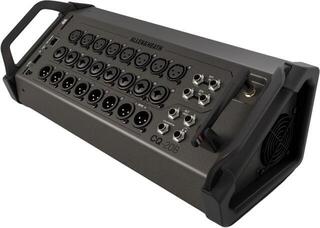
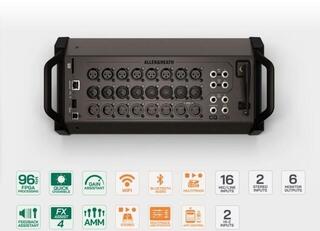
| Compact rack mixer | Small transport footprint and on-stage control | Reliance on a tablet and network, plus prepared backup control |
| Console with stagebox | Fewer analogue cables between stage and front of house | Compatible protocol, cabling, routing and power |
| Studio use via USB or network | Multichannel recording and playback | Stream count, drivers, operating system and monitoring method |
Control: surface, display or app
A physical control surface speeds up adjustments during a concert. Motorised faders follow the selected layer and scene, while rotary controls provide access to EQ, dynamics or sends. Fewer faders save space but require more layer switching. During a trial, note how many steps it takes to mute a channel, adjust a monitor and locate an overloaded input.
Remote control lets the engineer walk around the venue or musicians adjust their own monitor mixes. Reliability depends on a well-designed network. A dedicated access point, suitable positioning and a protected password are safer than an arbitrary public network. Keep critical functions accessible without the tablet and prepare a procedure for loss of connection.
Scenes, libraries and permissions
A scene stores a broad console state, while a library may retain settings for one channel or effect. Before recall, define which parameters stay protected to avoid changing preamp gain, routing or outputs accidentally. Partial scenes and a safe working file help at festivals. Store a backup away from the console and verify compatibility after a firmware update.
Processing inside the console
A digital mixer usually provides channel EQ, a high-pass filter, gate and compressor, additional bus processing and shared effects engines. This reduces the need for separate rack devices, but not the need to understand signal flow. Check where each block sits, whether its order can be changed and where the monitor or recording feed is tapped.
If you need processing outside the console or a dedicated device, browse effects and signal processors. An external processor needs suitable send and return paths and adds conversion or latency. Internal blocks are simpler in many everyday systems, but the required workflow should determine the choice.
- Set input gain during the loudest part of the performance and leave headroom.
- Make monitor changes carefully; musicians need a stable balance and clarity.
- Label effects returns and check their destinations to prevent a loop.
- Before storing a scene, check muted sensitive outputs and phantom-power status.
Stagebox and digital audio network
A digital stagebox places preamps closer to the stage and carries multiple channels over one data cable. It must use a protocol supported by the console and sometimes the correct generation and sample rate. Verify maximum length and cable type with the manufacturer; a familiar connector does not make every network cable suitable. Secure power and data cables against being pulled out.
A more complex network involves routing, clocking, device names and access rights. Changing one element may affect both recording and monitoring. Document the connections and test them before the event without an audience. If you only need a few local inputs, a simpler console without extensive networking may be more practical.
Recording and audio interfacing
Some digital consoles act as multichannel computer audio interfaces, while others record to internal media or send audio over a network. Check the channel count in both directions, supported formats and whether the recording feed is taken before or after processing. For a virtual soundcheck, playback must return to the correct channels without accidentally reaching the main output.
A separate audio interface may be better when studio work, portability between computers or independence from the live console takes priority. A digital mixer makes more sense when one device must mix live sound and record multiple tracks. Check driver support for your operating system before deciding.
Digital, analogue and DJ mixers
Analogue mixing consoles provide direct access to functions and straightforward signal flow, but generally do not store complete scenes and offer less internal processing. A powered mixer adds a power amplifier for suitable passive speakers. A digital console is useful where scenes, multiple monitor mixes, remote control or multichannel recording matter.
A DJ mixer is a dedicated tool for mixing players, cue monitoring and transitions between tracks. It may not replace a PA console for a band with many microphones. When reinforcing a DJ, their mixer normally connects as a source to the main console. The term mixing console is a general name for a mixer, not a separate product feature.
Preparing for operation
- Draw the inputs, outputs, monitor mixes and recording paths, including spare capacity.
- Verify compatibility of the stagebox, cards, app and operating system.
- Prepare the network, backup control and safe power.
- Create a basic scene, label channels and test every output.
- Back up the file and practise the procedure for a tablet or data-link failure.
When comparing models, try a specific task: mute a faulty channel, adjust a monitor mix and recall a scene without changing preamp gain. If you can do these quickly, the console may serve your setup better than one with extra effects you will not use. Explore other designs under mixing consoles.